1 What is JYME?
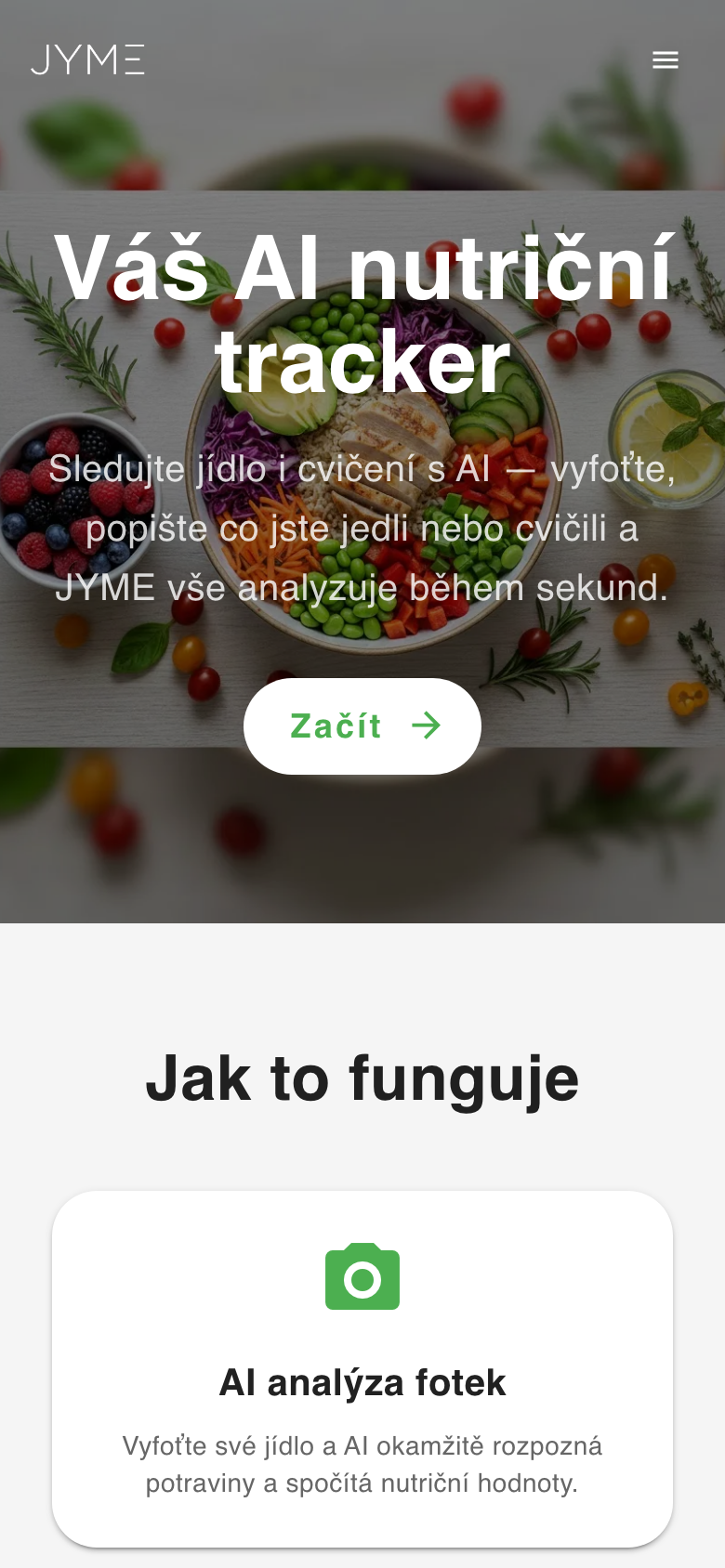
JYME is a smart nutrition tracker powered by artificial intelligence. Just describe or photograph your meal and JYME automatically recognizes the foods and calculates the nutrition — calories, protein, carbs, fat and other micronutrients.
Key features:
- AI photo analysis — snap a photo and the AI recognizes the foods
- Text description — write what you ate in natural language
- Voice input — dictate your meal
- Exercise tracking — log your sports activities
- Guru AI coach — ask about nutrition and get personalized advice
- Detailed statistics — weekly and monthly overviews with charts
- Barcode scanning — scan a product to get nutrition data from Open Food Facts
- Favorite foods — quickly log meals you eat often
- Body composition — track weight, estimate body fat with calipers and record body measurements
- 8 languages — Czech, English, Slovak, Polish, Korean, Spanish, French, German
2 Sign up & sign in
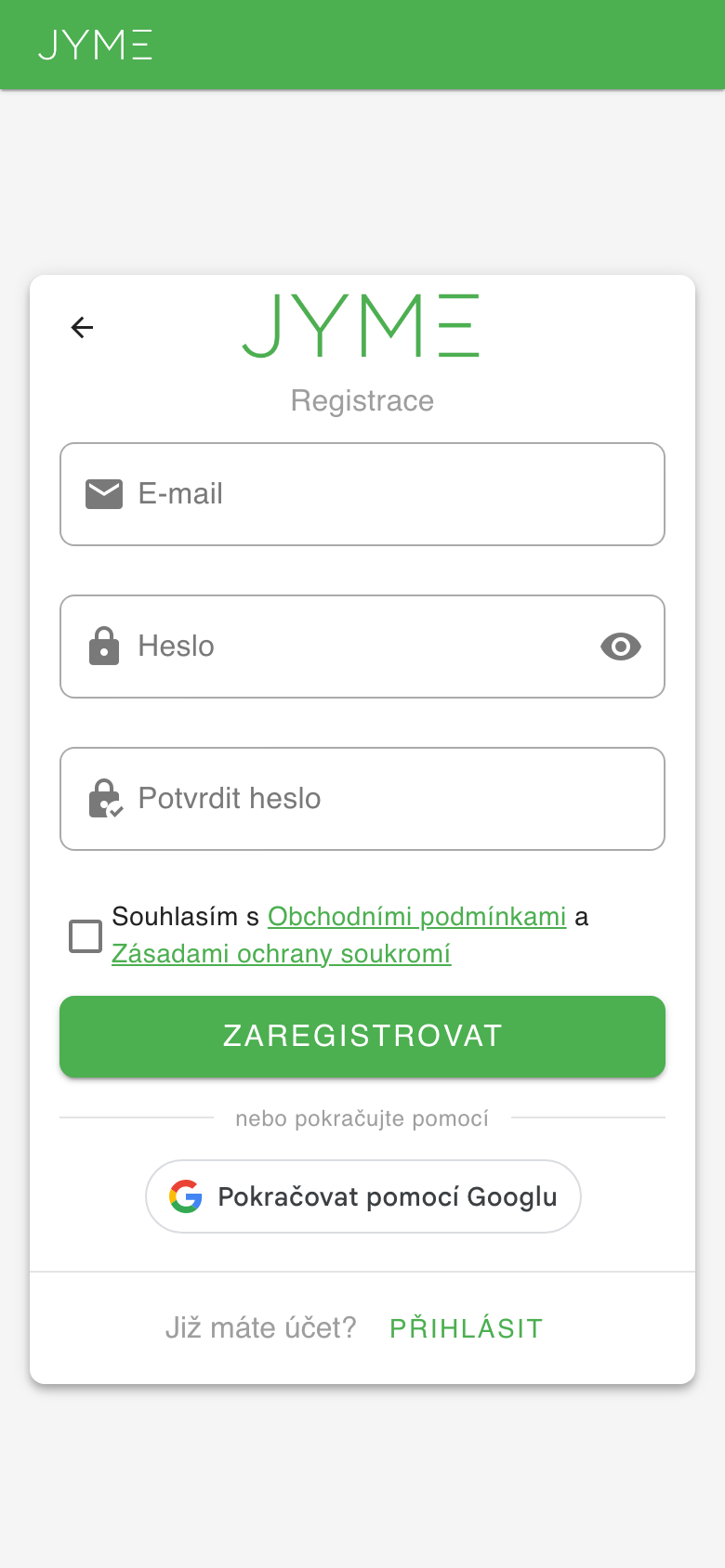
Sign up
You can create an account in two ways:
- With email — enter your email and a password. A verification link will be sent to your inbox.
- With Google — click "Continue with Google" for a quick sign-up.
After signing up you get 100 free credits that you can use right away for AI food analysis.
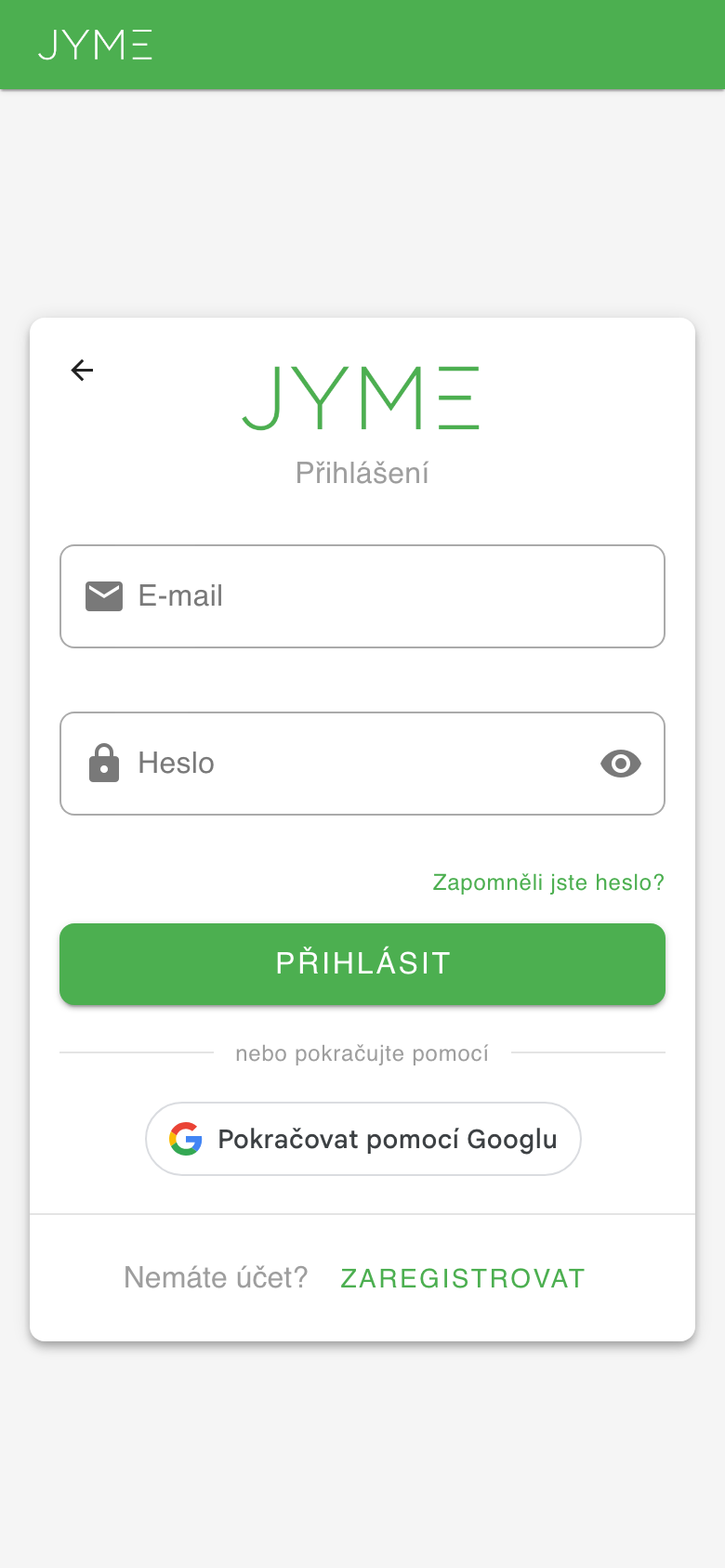
Sign in
Sign in with your email and password or with your Google account. If you forgot your password, click "Forgot your password?" and enter your email — you'll receive a link to reset it.
3 Profile setup
After your first sign-in, JYME walks you through a short 3-step setup:
Step 1: Personal details
Enter your year of birth, gender, height and weight. These details help JYME estimate your daily nutritional needs more accurately.
Step 2: Dietary preferences (optional)
You can specify your diet type (vegetarian, vegan, etc.), allergies and other dietary notes. The Guru AI coach will then tailor its advice to your preferences.
Step 3: Daily limits
Set your daily targets for calories, protein, carbs, fat, sugar, salt, fiber and water intake. These limits appear as progress bars on the Dashboard.
4 Dashboard
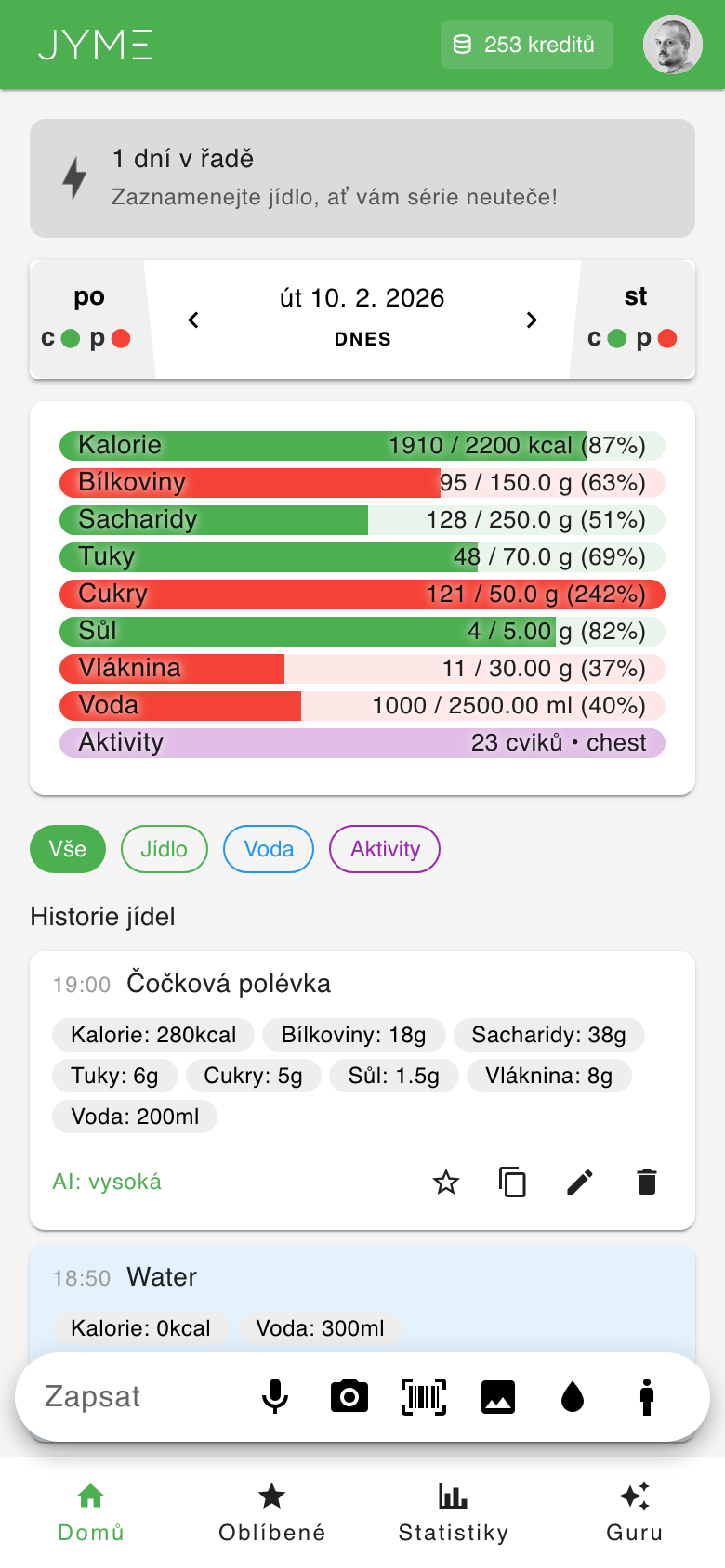
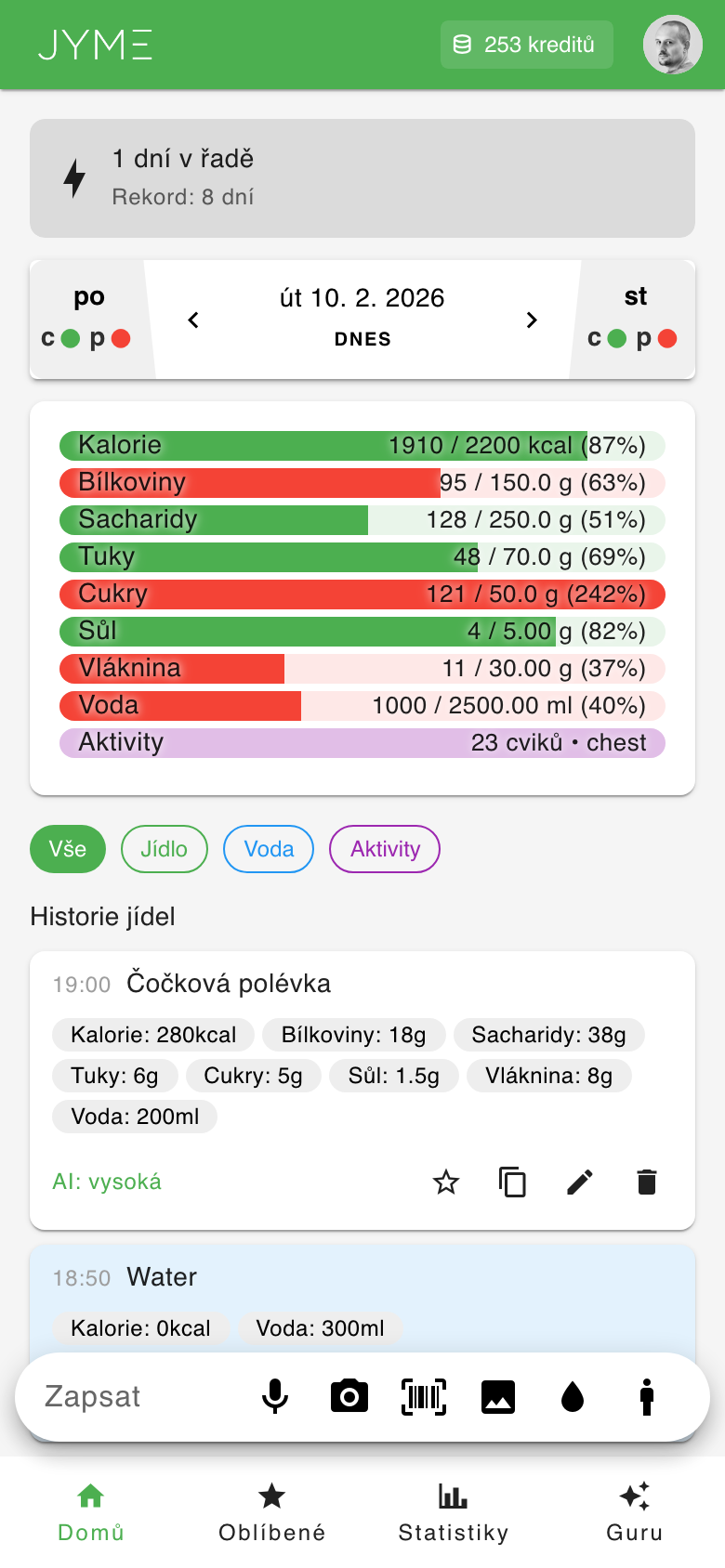
The Dashboard is the app's main screen, where you see your daily overview:
Daily progress
At the top you see colored progress bars for each nutrient — calories, protein, carbs, fat, sugar, salt, fiber, water and activity. The color changes based on how full each bar is:
- Green — you're within range (below the limit)
- Orange — you're approaching the limit
- Red — limit exceeded
Entry filters
Below the progress bars you'll find filters: All, Food, Water and Activities. Tap one to show only that type of entry.
Food history
Under the filters is a chronological list of all entries for that day. For each meal you see its name, calories, protein, carbs, fat and other values.
Navigating between days
In the top bar, swipe left/right or tap the arrows to switch to the previous/next day. The "Today" button takes you back to the current day.
Why these numbers? (AI explanation)
On meals analyzed by AI, the food card shows a lightbulb icon. Tap it to open an explanation of why the meal has its nutrition values — the AI spells out its assumptions (estimated portion size, preparation method, added fats, etc.), which are the most common source of estimate error.
- Ask — continue the conversation and ask follow-up questions about that meal
- Correct — if the AI got something wrong (e.g. the portion or preparation), describe the correction and the AI re-estimates. You'll see a before/after comparison of the values, which you confirm with a button.
5 Logging food
JYME offers several ways to log what you ate. The input bar is always visible at the bottom of the screen.
Text description
Type what you ate in natural language, e.g. "Chicken breast with rice and vegetables" or "Two bread rolls with butter and ham". The AI analyzes the text and automatically calculates the nutrition. Costs 2 credits.
Something you've logged before
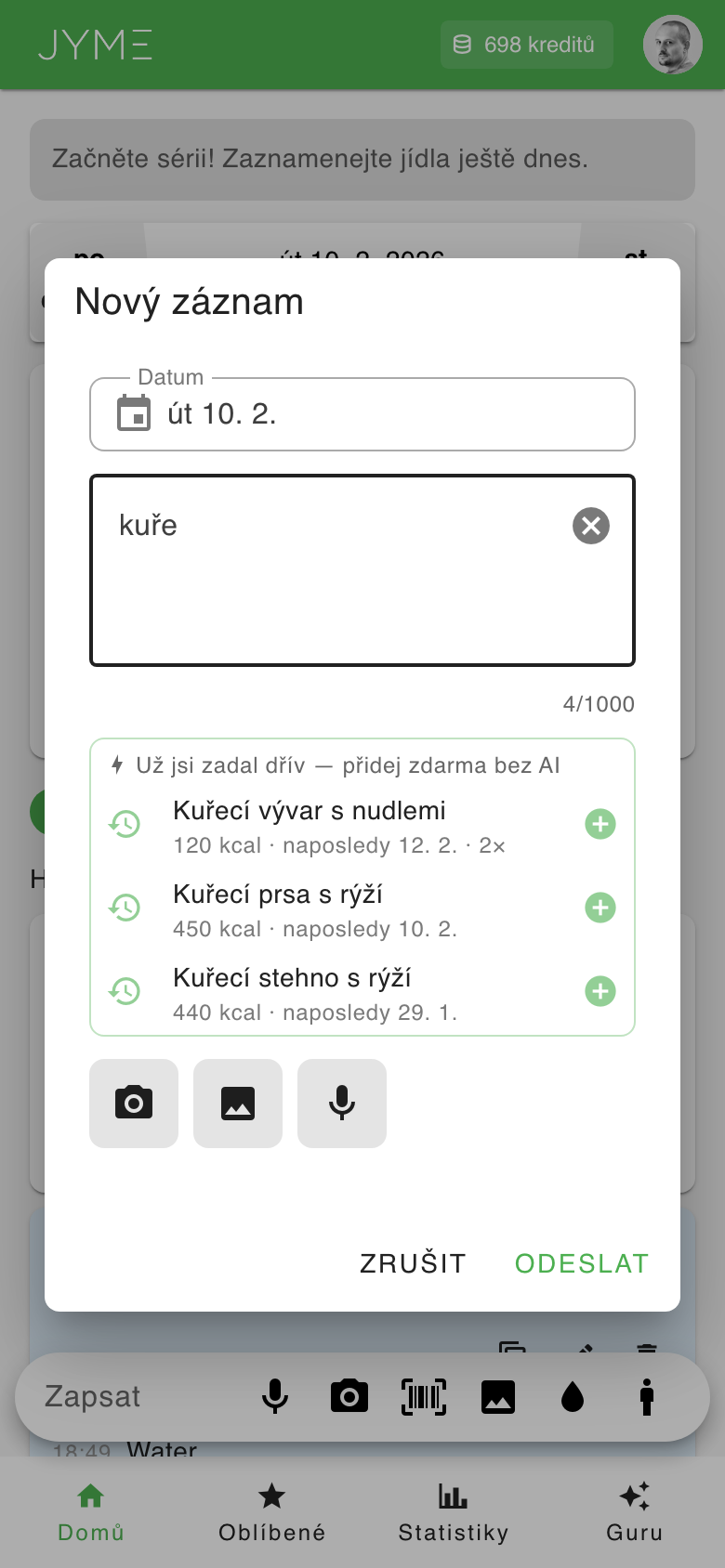
As soon as you type at least 3 characters, JYME suggests meals you've logged before right below the text field (e.g. typing "chick" shows "Chicken breast with rice"). Each suggestion shows the calories, when you last logged it and how many times in total. Tap a suggestion to add it to the day selected in the dialog with the same values as last time — free and without AI. If you don't pick a suggestion and tap "Submit", the meal is analyzed by AI as usual.
Food photo
Tap the camera icon and photograph your meal. The AI recognizes the foods in the image and estimates the portions. You can also pick an existing photo from your gallery (image icon). Costs 3 credits.
Voice input
Tap the microphone icon and describe out loud what you ate. JYME converts the speech to text and runs the AI analysis. Costs 2 credits.
Quick water add
Tap the water-drop icon to quickly log fluid intake. Adding water is free (costs no credits).
Barcode scanning
Tap the barcode icon in the input bar. A camera scanner opens — point it at a product's barcode (EAN, UPC, QR). After scanning, JYME looks the product up in the Open Food Facts database.
If the product is found, its name, brand, photo and nutrition values are shown. You can adjust the portion size (default is 100 g) — the nutrition values recalculate automatically. Confirming adds the entry to your day. Costs 1 credit.
If the product isn't in the database, you can photograph the nutrition label on the packaging and have the AI analyze it (for 3 credits).
Body composition
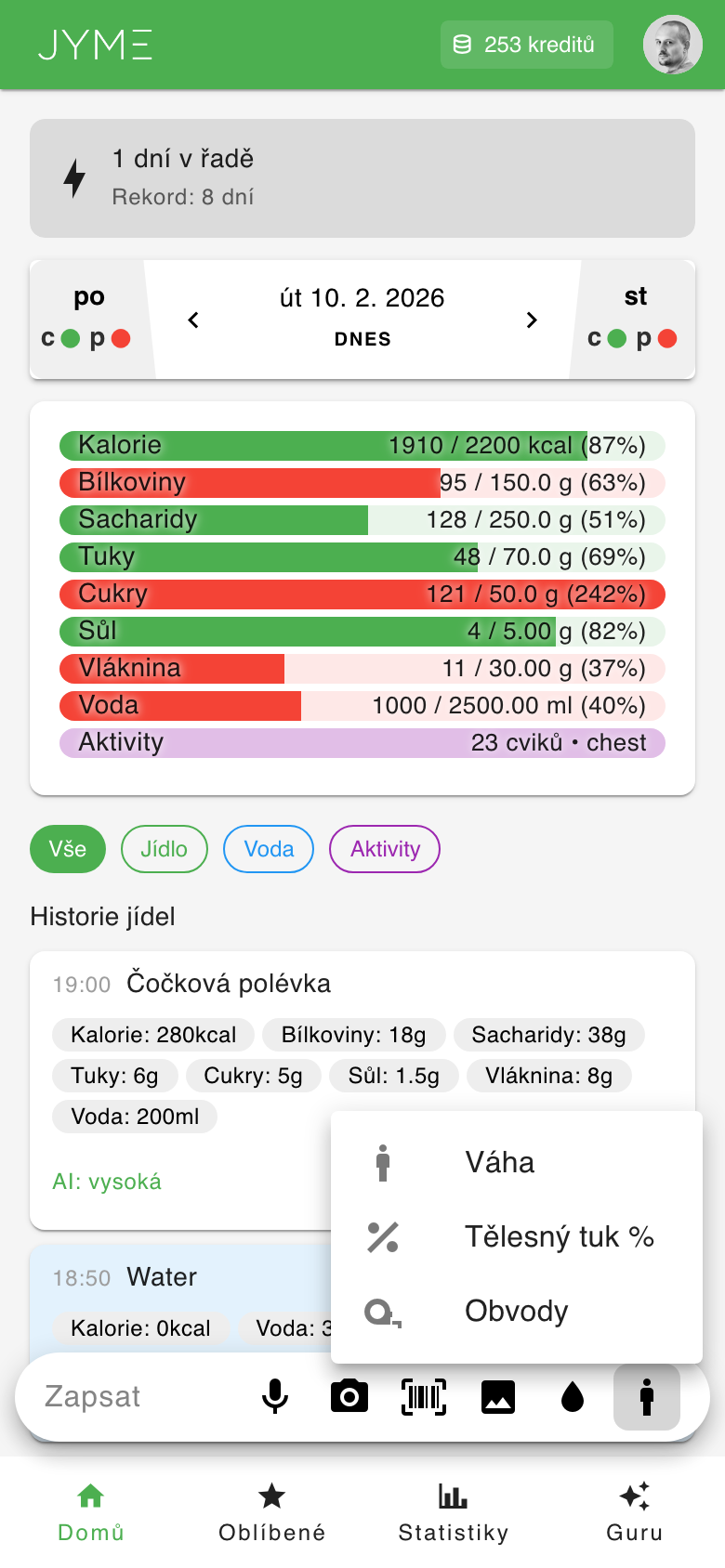
Tap the figure icon (mdi-human-male) in the input bar to record weight, body fat or body measurements. See section 6 for details.
6 Body composition
JYME lets you track body composition — weight, body fat percentage and body circumferences. Tap the figure icon in the input bar and choose from the menu:
Recording weight
Choose Weight from the menu. Your last recorded weight is pre-filled. Enter the new value in kg and save. Recording weight is free.
Body fat estimate
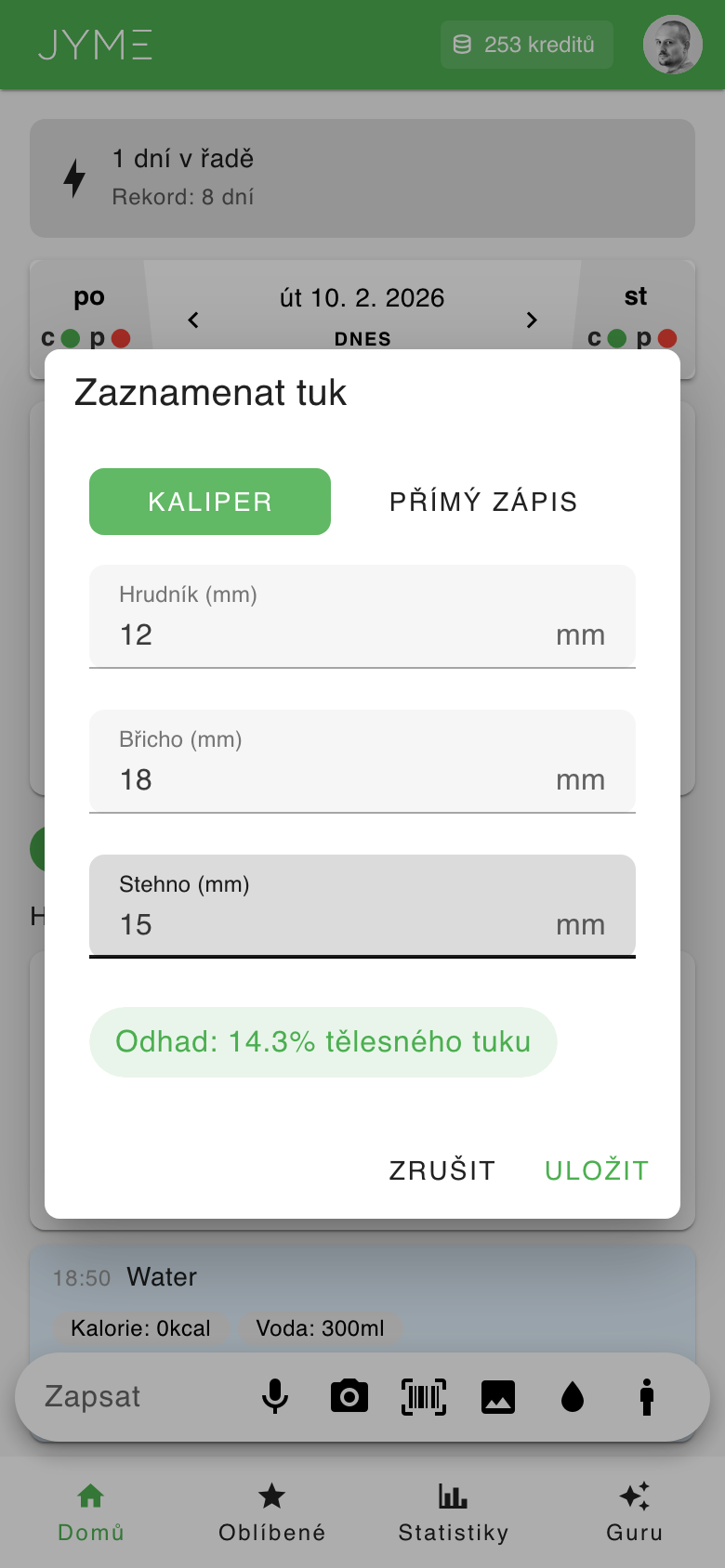
Choose Body fat % from the menu. Two modes are available:
- Caliper (skinfolds) — measurement using the Jackson-Pollock 3-site method. For men the chest, abdomen and thigh are measured; for women the triceps, suprailiac and thigh. Enter the values in mm (range 3–70 mm) and the app calculates an estimated body fat percentage. A live preview of the estimate is shown as you type.
- Direct entry — if you know your body fat percentage from another measurement (DEXA, bioimpedance, etc.), enter the value directly (range 2–70 %).
Body measurements (circumferences)
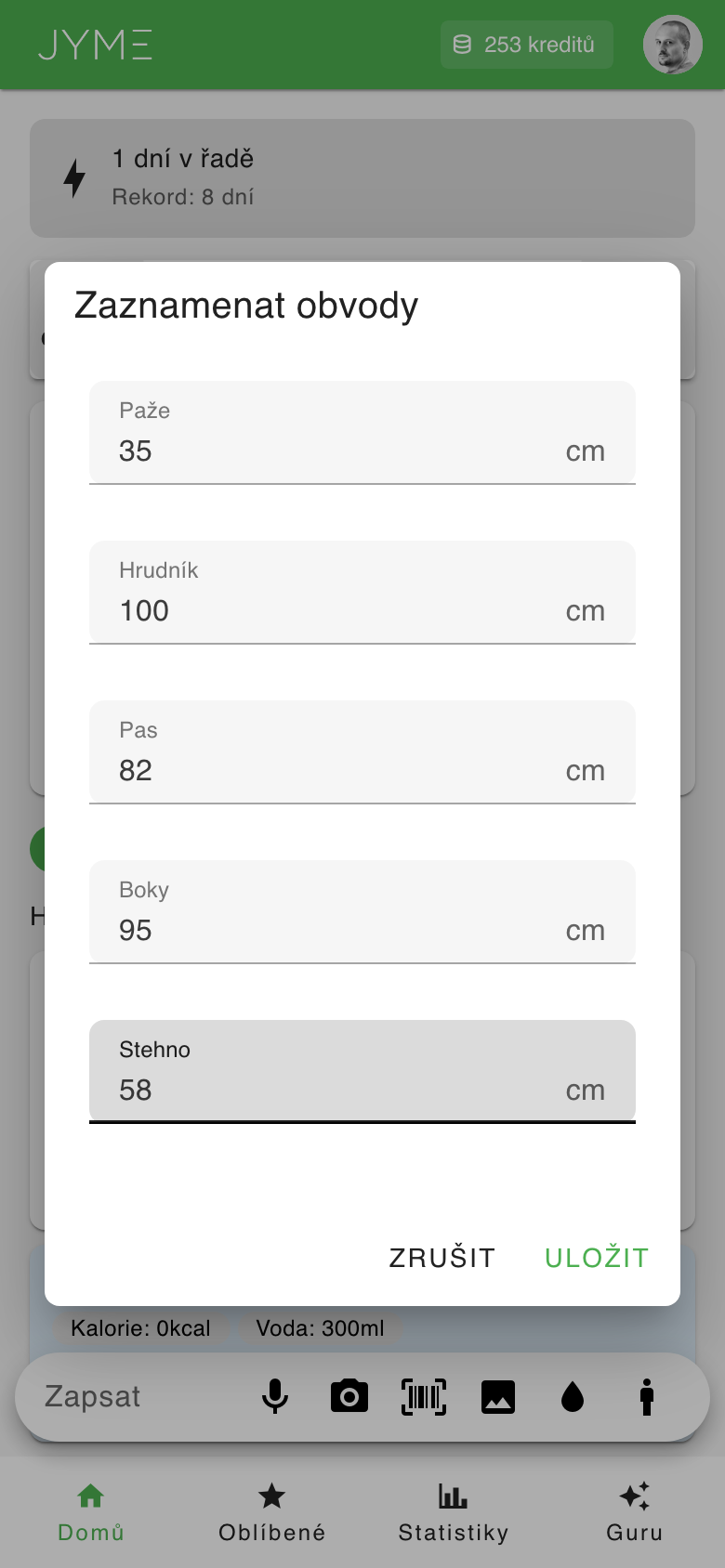
Choose Measurements from the menu. You can record the circumference of your arm, chest, waist, hips and thigh in centimeters. Filling in at least one value is enough.
Trend charts
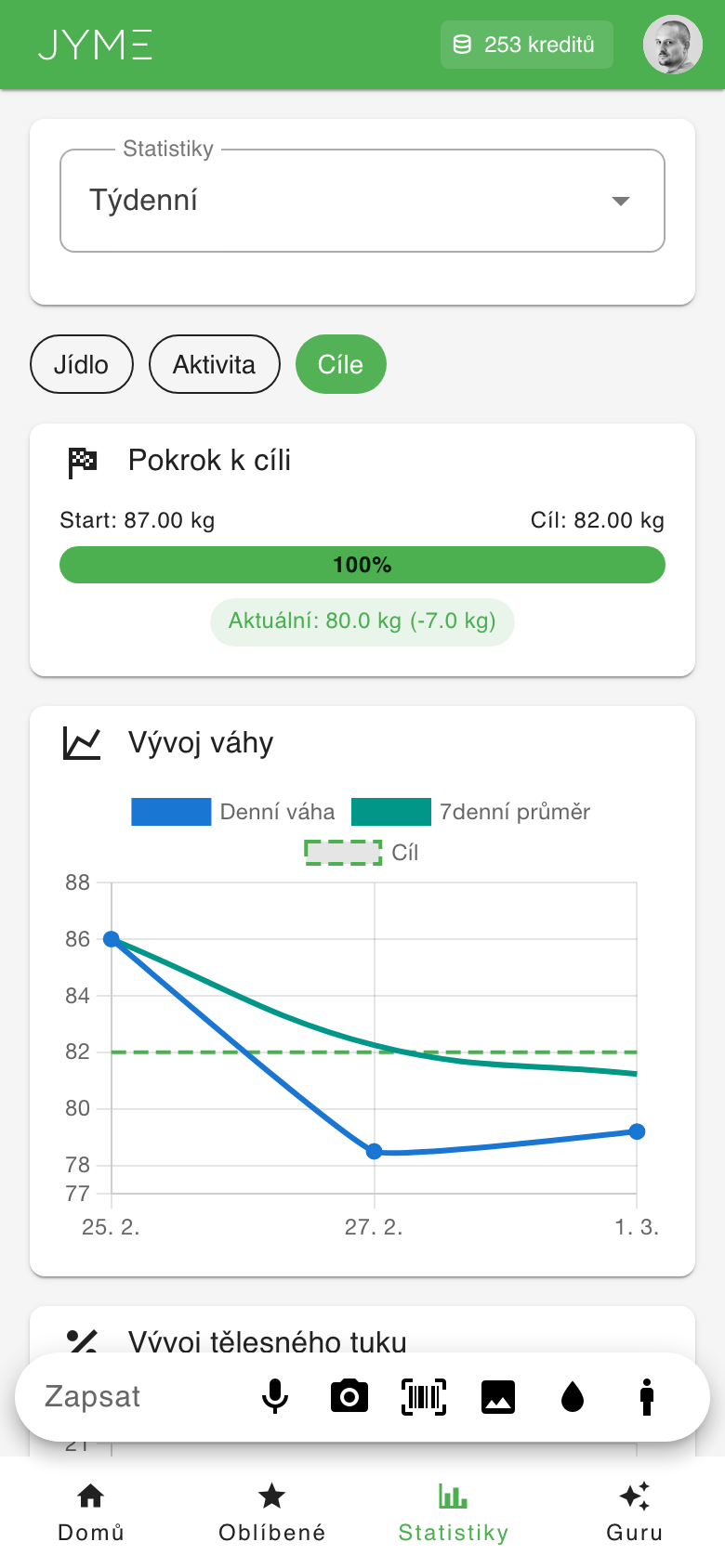
Recorded data is shown as trend charts in Statistics under the Goals tab. There you'll find your weight, body fat (including a 7-day moving average) and body circumferences over time.
7 Favorites and food history
If you regularly eat the same meals, save them as favorites. Next time you can add them with a single tap.
How to add a favorite
- On the Dashboard, tap a food entry and choose "Add to favorites"
- On the Favorites page, tap the "+ ADD" button and fill in the details manually
Using a favorite
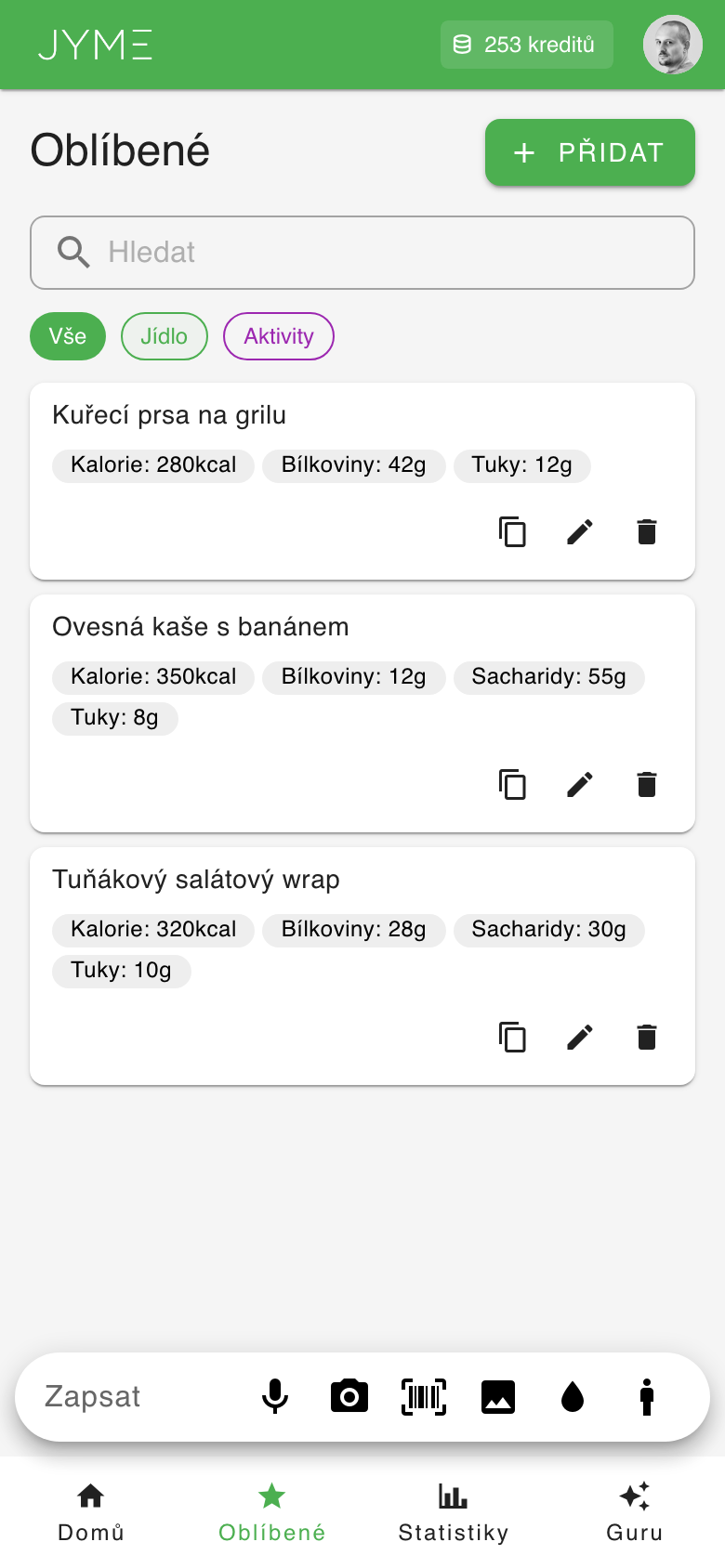
On the Favorites page, tap the copy icon on the meal you want. The meal is added to today. Using a favorite is free.
Managing favorites
On each favorite you'll find icons to copy (add to the day), edit (pencil) and delete (trash). You can also filter favorites by type (All / Food / Activities) and search by name.
Searching everything you've logged (History)
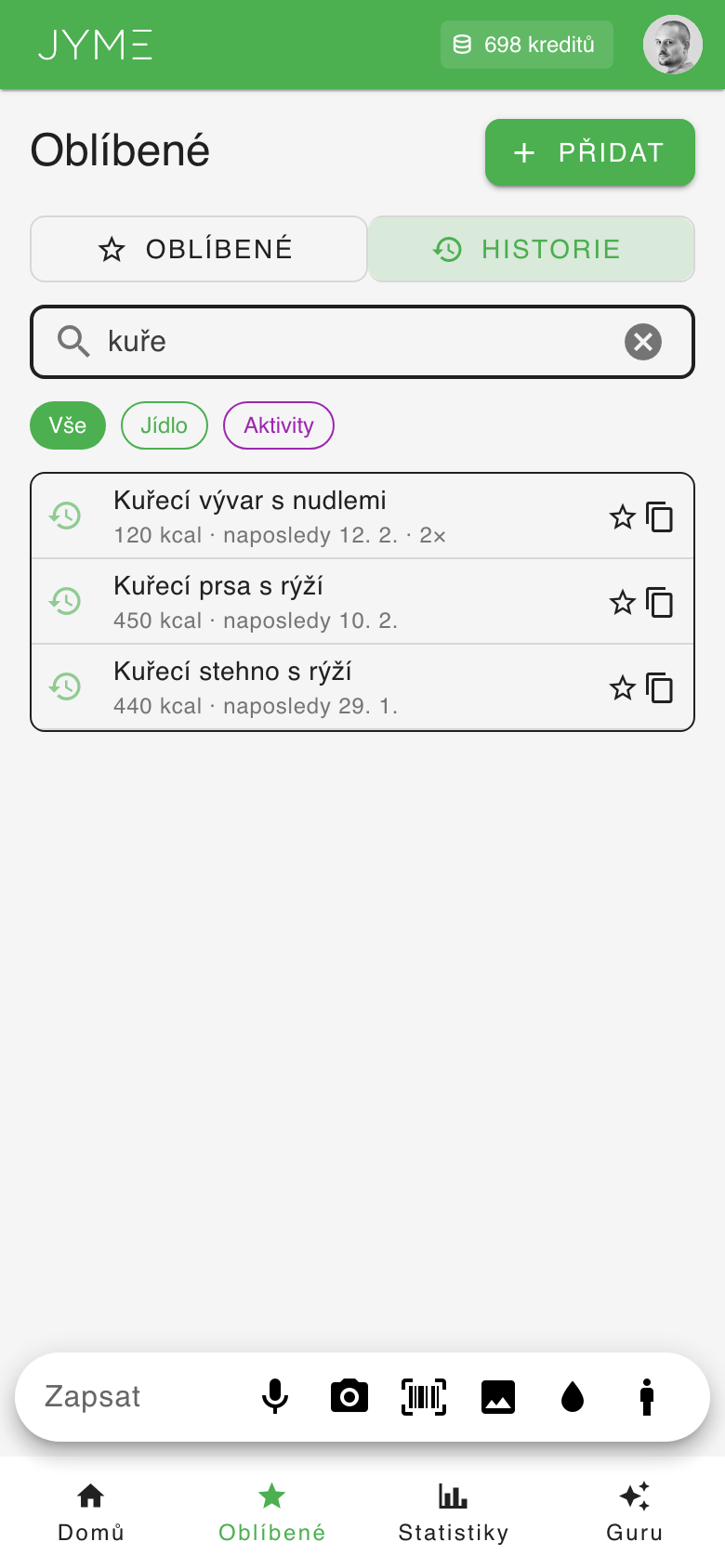
At the top of the Favorites page, switch from "Favorites" to "History". The search field then looks through everything you've ever logged — not just your favorites. Type at least 2 characters. Accents and capital letters don't matter. Each meal appears only once, with its latest values and how many times you've logged it.
- Copy icon — pick a day in the calendar and the meal is added there for free
- Star — adds the meal to your favorites (or removes it)
The All / Food / Activities filters work in History too.
8 Statistics
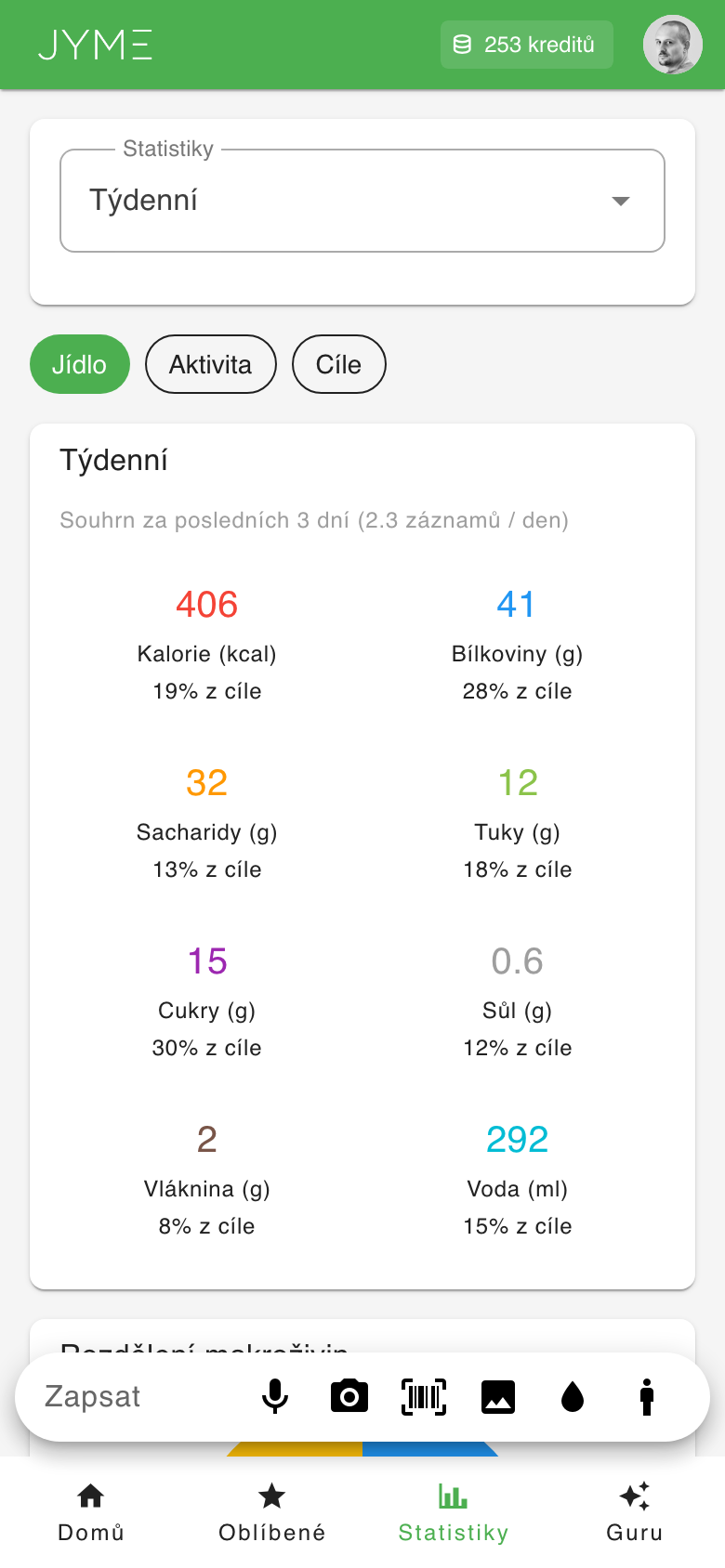
The Statistics page gives you a detailed overview of your eating over time.
Time period
In the dropdown at the top, choose a period:
- Daily — detailed overview of a single day
- Weekly — averages over the last 7 days
- Monthly — averages over the last 30 days
- Custom range — choose any time span
Food vs. Activities
Switch between the Food and Activity tabs to show nutrition statistics or an exercise overview (calories burned, duration, distance).
Charts
Statistics include:
- Summary values — average calories, protein, carbs, fat, etc.
- Donut chart — macronutrient split (protein/carbs/fat)
- Hydration bar chart — daily water intake
- Calorie trend chart — calorie intake over time
Goals tab
In the Goals tab you'll find body composition trend charts — weight, body fat and body circumferences over time. More in section 6.
9 Guru — AI nutrition coach
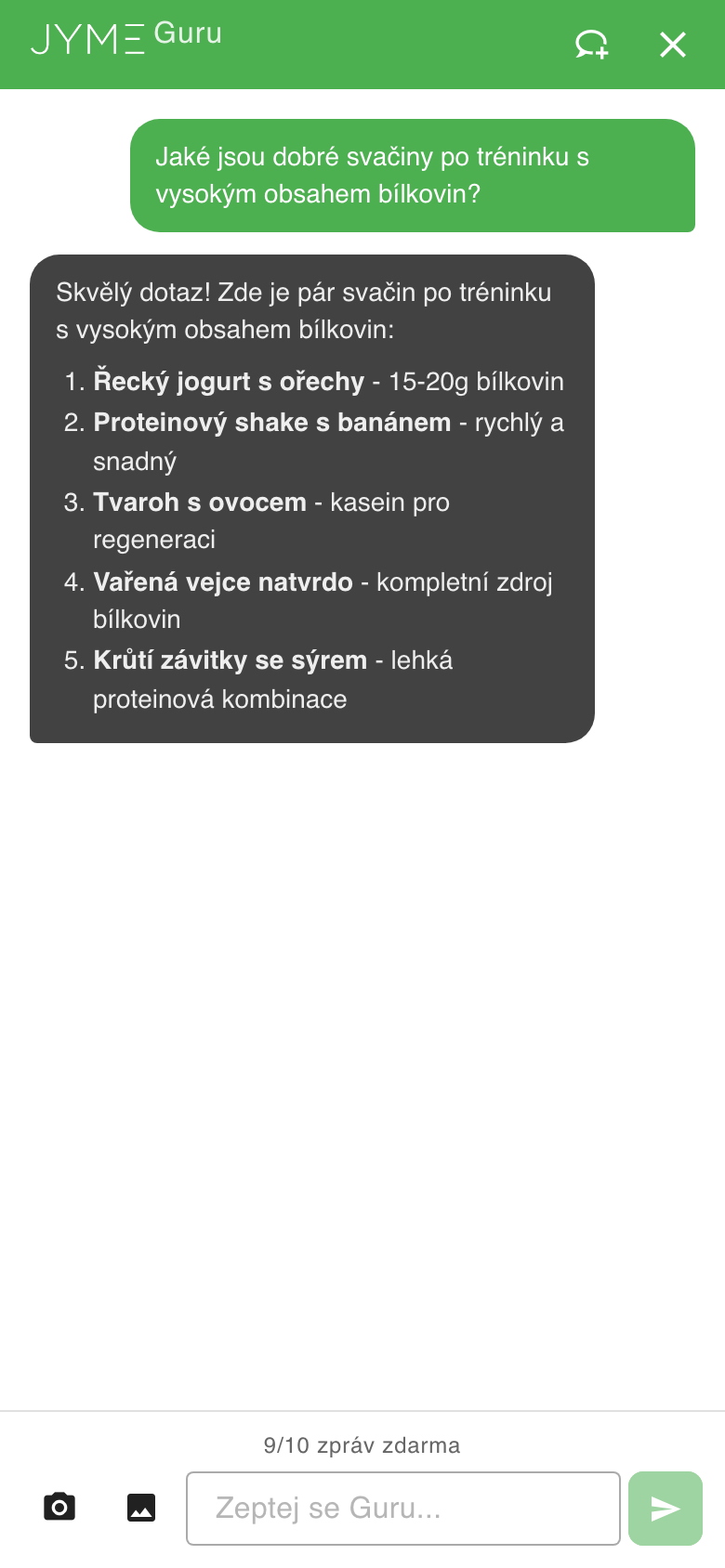
Guru is your personal AI nutrition coach. You can ask it anything about nutrition, eating or a healthy lifestyle.
How to use Guru
- Tap "Guru" in the bottom navigation
- Type your question in the text field (e.g. "How much protein do I need per day?")
- Guru answers based on your profile and dietary preferences
Photos for Guru
You can also send Guru a photo — for example a photo of a menu and ask "What would you recommend from this?".
Free messages
You get 10 free messages every day. Once the free messages are used up, each additional message costs 1 credit.
10 Settings
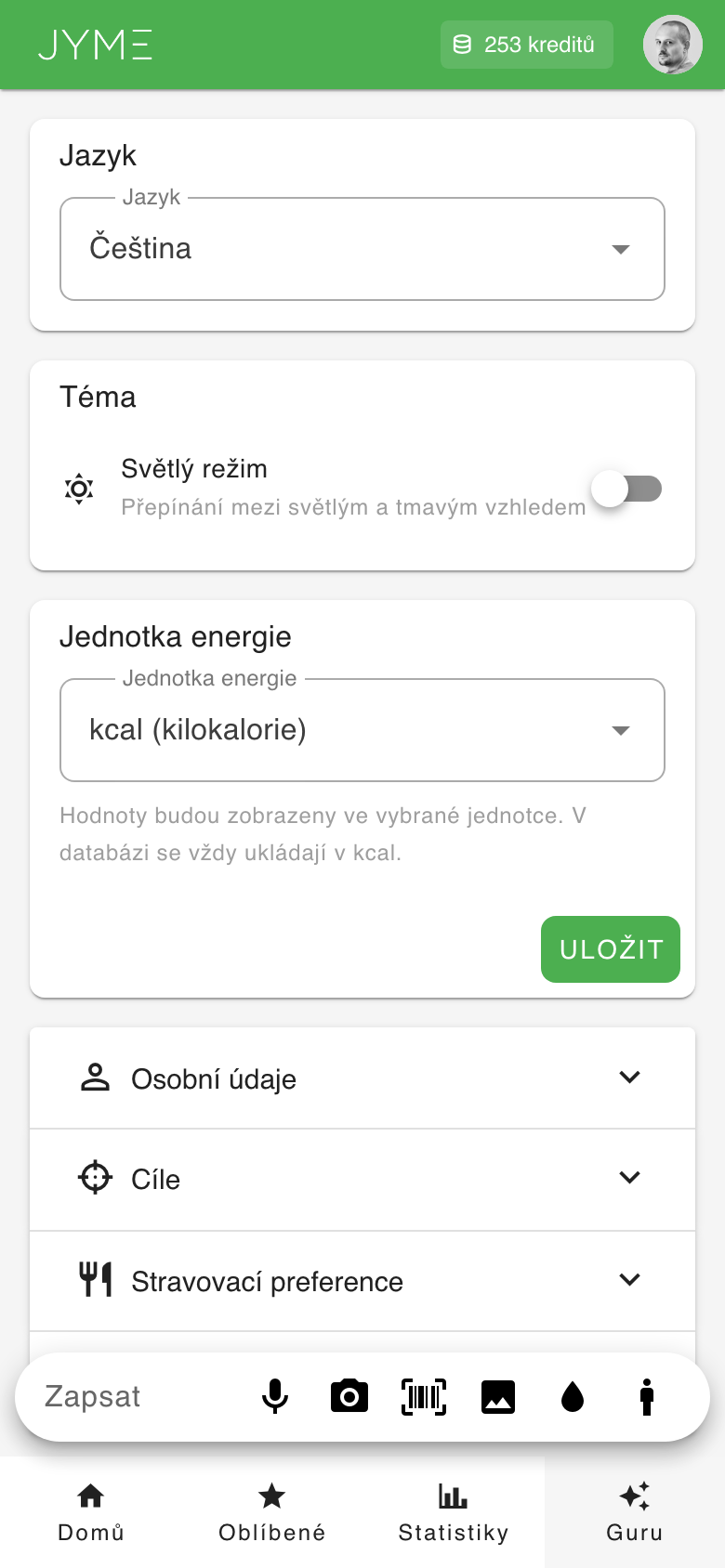
In Settings you can adjust everything about your profile and preferences. Access it via the profile icon in the top-right corner.
Language
Choose from 8 available languages. The app switches to the selected language right away. Whatever language is set is the language the app and the AI expect communication to happen in.
Theme
Switch between light and dark mode according to your preference.
Energy unit
Choose whether to show energy in kilocalories (kcal) or kilojoules (kJ).
Personal details
Update your year of birth, gender, height and weight.
Dietary preferences
Set your diet type, allergies and dietary notes for personalized advice from Guru.
Daily limits
Adjust your daily targets for all tracked nutrients (calories, protein, carbs, fat, sugar, salt, fiber, water). You can set the limits manually, or have them calculated automatically in the Goals section using the Mifflin-St Jeor equation.
Goals
The Goals section lets you calculate optimal daily limits based on your profile:
- Activity level — choose from a sedentary job to an extra-active lifestyle
- Goal — choose whether you want to lose, maintain or gain weight
- Target weight (optional) — when losing weight you can enter your target weight
Click the "Recalculate limits" button and the app recalculates all daily limits using the scientifically validated Mifflin-St Jeor equation (BMR → TDEE → adjustment by goal). You can then fine-tune the calculated values manually in the Daily limits section.
Account
At the bottom of Settings you'll find:
- Change password — update your sign-in password
- API tokens — for advanced users with external integrations
- Trainer/client connection — share your data with your trainer
- Delete account — permanently removes your account and all data
About
In the user menu (profile icon in the top-right) you'll find an "About" item. It shows the app version, data sources (Open Food Facts) and a link to the terms of use and privacy policy.
11 Credit system
JYME runs on a credit system — no monthly subscription, you only pay for what you actually use.
What does it cost?
| Action | Credits |
|---|---|
| AI food analysis (text/voice) | 2 credits |
| AI food analysis (photo) | 3 credits |
| Barcode scanning | 1 credit |
| Logging an activity | 2 credits |
| Guru message (after the 10 free daily ones) | 1 credit |
| MCP integration (Claude Desktop) | 2 credits |
| Using a favorite | Free |
| Recording weight | Free |
| Body fat estimate | Free |
| Recording body measurements | Free |
| Adding water | Free |
| Copying a meal | Free |
| Editing an entry | Free |
| Guru (first 10 messages per day) | Free |
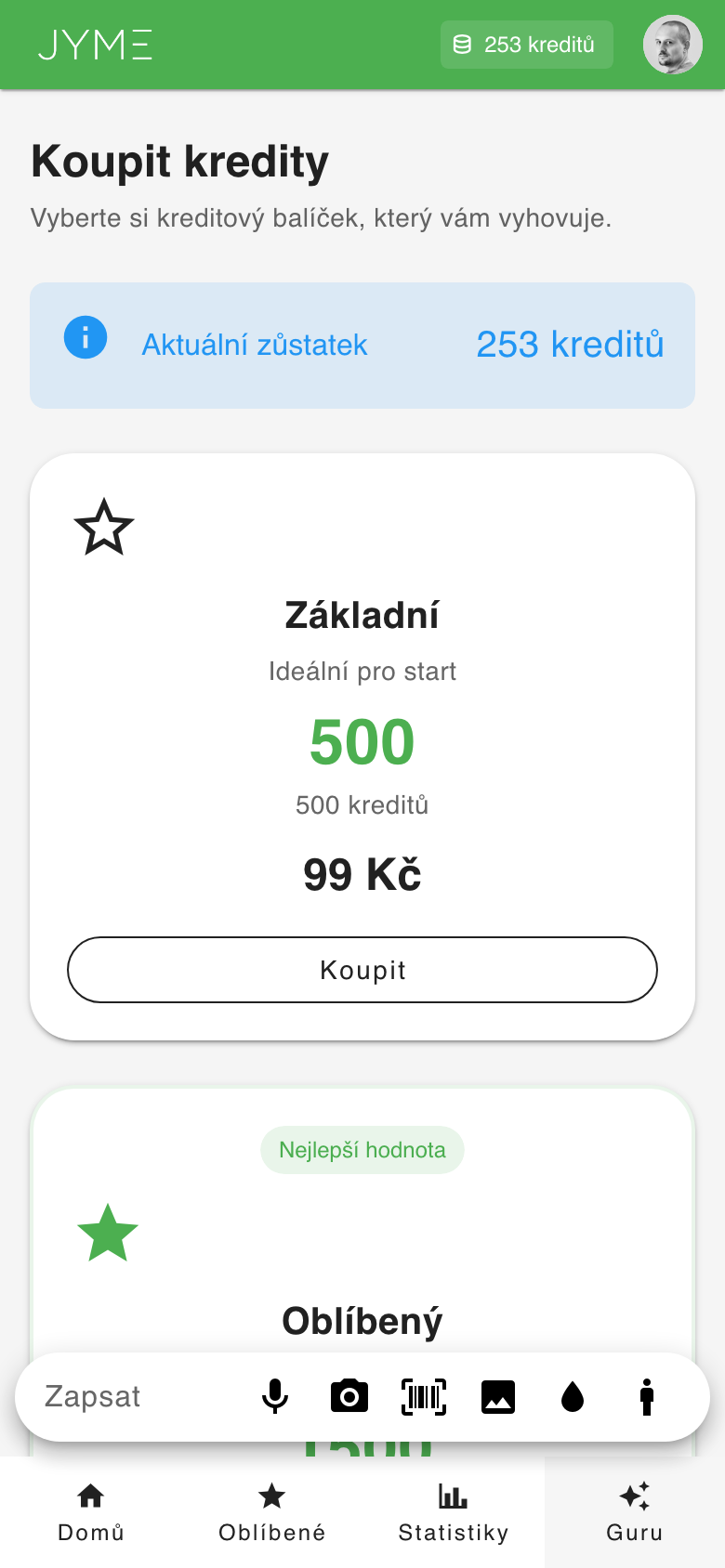
Credit packages
| Package | Credits | Price |
|---|---|---|
| Basic | 500 | 99 CZK |
| Popular | 1,500 | 199 CZK |
| Pro | 3,500 | 399 CZK |
Payment is processed securely via Stripe. Credits are added immediately after payment and never expire.
12 Tips & tricks
Save credits
- Save meals you eat often as favorites — using a favorite is free
- Use the "Copy meal" feature when you eat the same meal as before
- Before sending a meal to the AI, check the suggestions below the text field or search Favorites → History — re-adding a meal you've logged before is free
- Barcode scanning costs only 1 credit — cheaper than AI analysis
- Adding water never costs credits
- Make use of the 10 free daily Guru messages
More accurate AI results
- When typing, be specific: "150g chicken breast with 200g rice" is better than "chicken with rice"
- For photos, try to capture the whole portion clearly on the plate — you can also clarify it in words
- State the quantity — "2 bread rolls" is more accurate than "bread rolls"
Install as an app (PWA)
You can install JYME as an app straight to your home screen:
- iPhone/iPad: Open jyme.app in Safari → Share → Add to Home Screen
- Android: Open jyme.app in Chrome → it offers automatic installation
- PC/Mac: In Chrome, click the install icon in the address bar
Connecting with a trainer
If you have a personal trainer who also uses JYME, you can connect with them. The trainer can then see your daily entries and statistics and give you feedback. You'll find the connection in Settings → Connection.